AI vs human designers: The future of UI/UX design

Written by

Chandani Sahani
UI/UX Designer
Table of contents
Build with Radial Code
Share this


Artificial Intelligence (AI) is changing the way we work, and UI/UX design is no different. Today, AI tools can create layouts, generate design ideas, and help designers work faster.
Because AI is becoming more powerful, many people ask:
Will AI replace UI/UX designers?
AI is helping designers by automating many parts of the design process. However, human designers are still important for understanding users, making design decisions, solving problems, and creating unique experiences.
How AI is changing UI/UX design
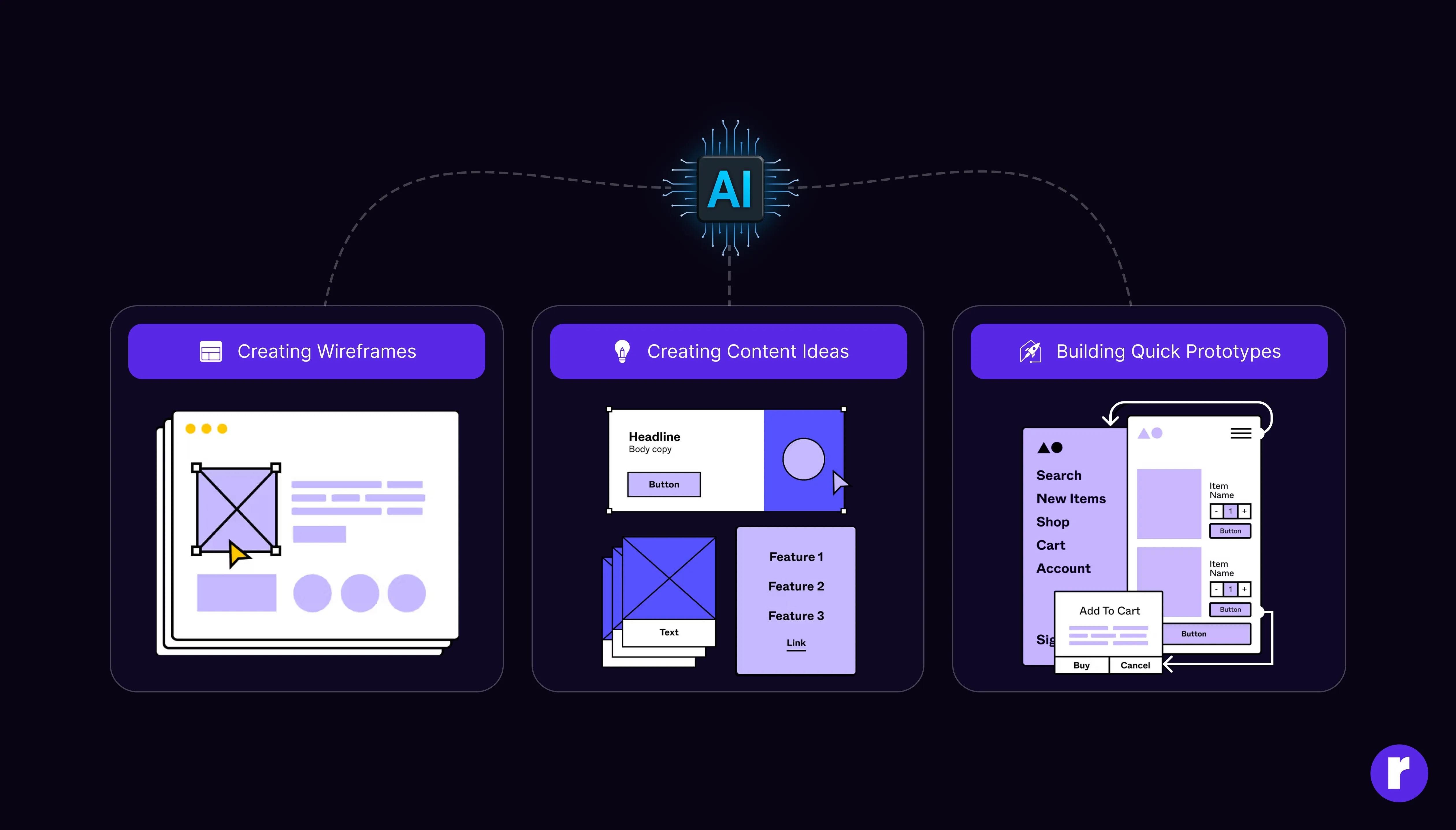
AI tools are making the design process faster and easier. They can help with tasks that usually take a lot of time.
"Popular AI tools such as Figma AI, Uizard, Midjourney and ChatGPT are transforming the design workflow by accelerating ideation, prototyping, content generation, and visual asset creation."
Some examples include:
- Creating wireframes
- Suggesting layouts
- Generating UI designs
- Analyzing user research and analytics data
- Helping identify accessibility issues
- Creating content ideas
- Building quick prototypes
This allows designers to spend more time focusing on users and business goals.
What AI does well
Works fast: AI can create multiple design ideas in seconds. This helps teams save time and move projects forward quickly.
Analyzes data: AI can look at large amounts of user data and find useful patterns and trends.
Automates repetitive tasks: Tasks like resizing elements, organizing components, and creating variations can be done automatically.
Increases productivity: Designers can complete projects faster with the help of AI tools.
A UI/UX designer may use AI to create wireframe ideas, summarize user research, or generate UX copy. After that, the designer reviews the output, improves the design, tests it with users, and makes the final decisions before the product is launched.
What human designers do well

-
Creativity: Human designers create original ideas and unique experiences, while AI helps generate ideas based on existing patterns.
-
Understanding people: Good UX design requires understanding how people think, feel, and behave. Human designers are much better at this.
-
Solving complex problems: Designers consider user needs, business goals, and brand identity when making decisions.
-
Emotional connection: People connect with products that feel personal and meaningful. Human designers help create these experiences.
AI vs Human designers
Feature | AI | Human designers |
|---|---|---|
Creativity |
Generates patterns, ideas, and design variations |
Adds intent, context, judgment, and creative direction |
User Understanding |
Uses research and analytics data |
Understands users, emotions, and context |
Problem Solving |
Assists with suggestions and automation |
Makes strategic design decisions |
Designers can use Figma AI and Uizard to quickly create wireframes and UI layouts. They can also use Adobe Firefly to generate images and visual assets.
Challenges of using AI in UI/UX design
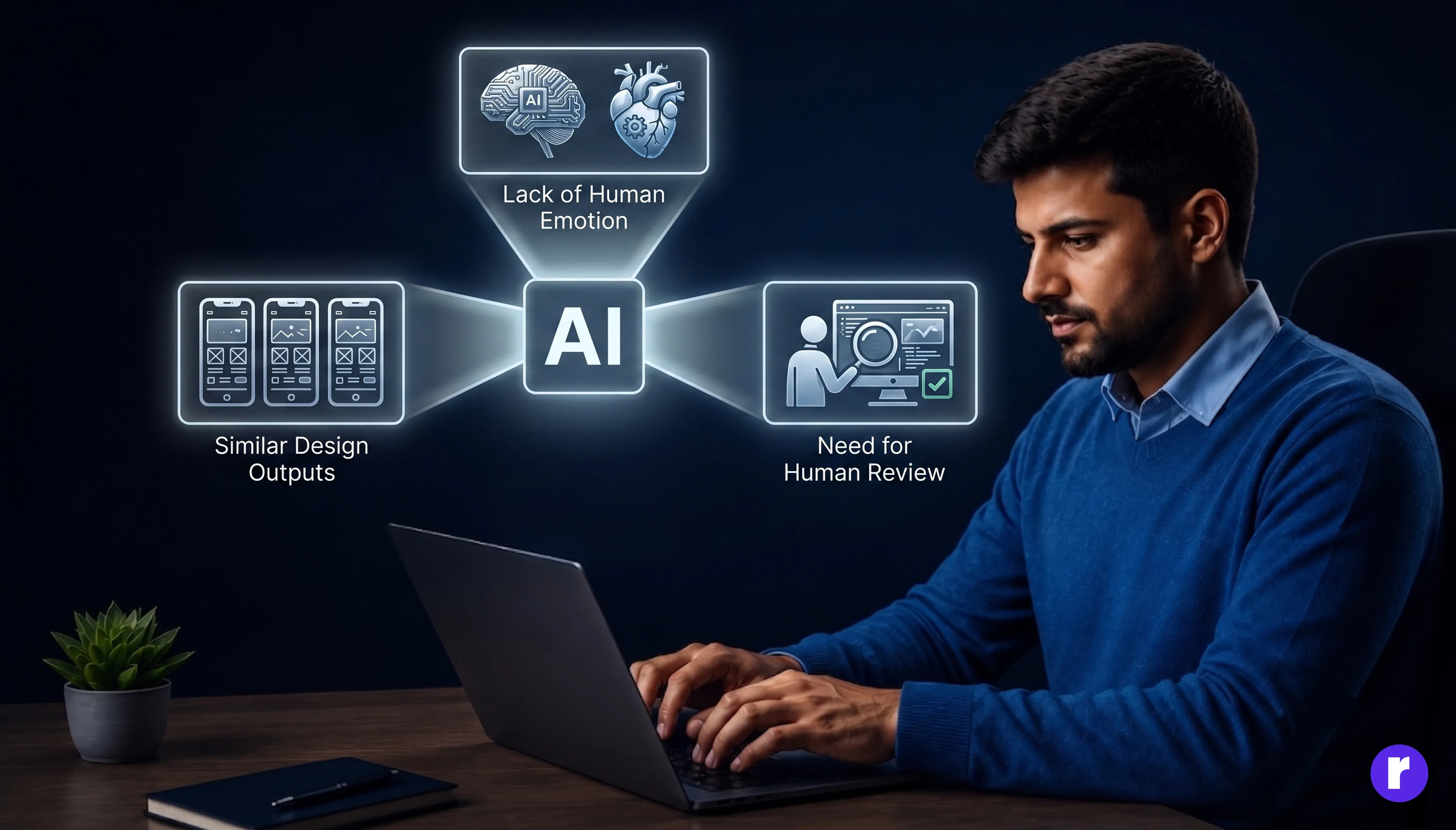
While AI offers many benefits, it also has some limitations.
-
Lack of human emotion: AI can recognize patterns associated with emotions, but it doesn't experience emotions or understand human context the way people do.
Similar design outputs: Many AI tools learn from existing designs. As a result, they may produce layouts that look similar to other websites or apps, making it harder for brands to stand out.
Need for human review: AI-generated designs are not always perfect. Designers still need to review, test, and improve the final output to ensure it meets user and business needs.
When using public AI tools, avoid uploading confidential client information, proprietary assets, or sensitive user data. Always follow your organization's privacy and security guidelines.
Skills future UI/UX designers should learn

As AI becomes more common, designers should focus on skills that make them even more valuable.
-
User research: Understanding user needs, behaviors, and pain points will remain one of the most important design skills.
AI tool knowledge: Learning how to use AI design tools effectively can improve productivity and help designers work smarter.
Communication and collaboration: Designers often work with developers and users. Strong communication skills are something AI cannot replace.
What the future looks like
AI will continue to change the way digital products are built. It will support not only UI/UX designers but also Product Managers, UX Researchers, Content Designers, and Developers. AI can help teams work faster by automating repetitive tasks and providing useful insights. However, human teams will still be responsible for strategy, creativity, decision-making, and understanding user needs.
Conclusion
AI is becoming an important part of UI/UX design. It helps designers work faster and more efficiently. However, AI works best when combined with human creativity, judgment, and understanding.
Rather than replacing designers, AI will become a powerful tool that helps them create better products and experiences.