How a CMS Impacts Website UX and Content Management

Written by

Pardeep Verma
CMS developer
Table of contents
Build with Radial Code
Share this


Every great app starts as a simple idea—sometimes scribbled on a napkin, other times sparked in a moment of frustration or inspiration. But turning that sketch into a successful, downloadable product in the App Store or Google Play is a journey filled with creativity, strategy, and execution. Here's what that path typically looks like.
CMS as the Backbone of Website UX

A CMS determines how easily content can be structured, updated, and presented across a website. When content is well-organized behind the scenes, it translates into a smoother experience for users on the front end.
A good CMS enables:
- Consistent layouts across pages
- Predictable navigation patterns
- Faster updates without breaking design integrity
From a UX standpoint, this consistency builds trust, clarity, and usability, ensuring users can quickly find what they’re looking for without confusion.
Structured Content Improves User Flow
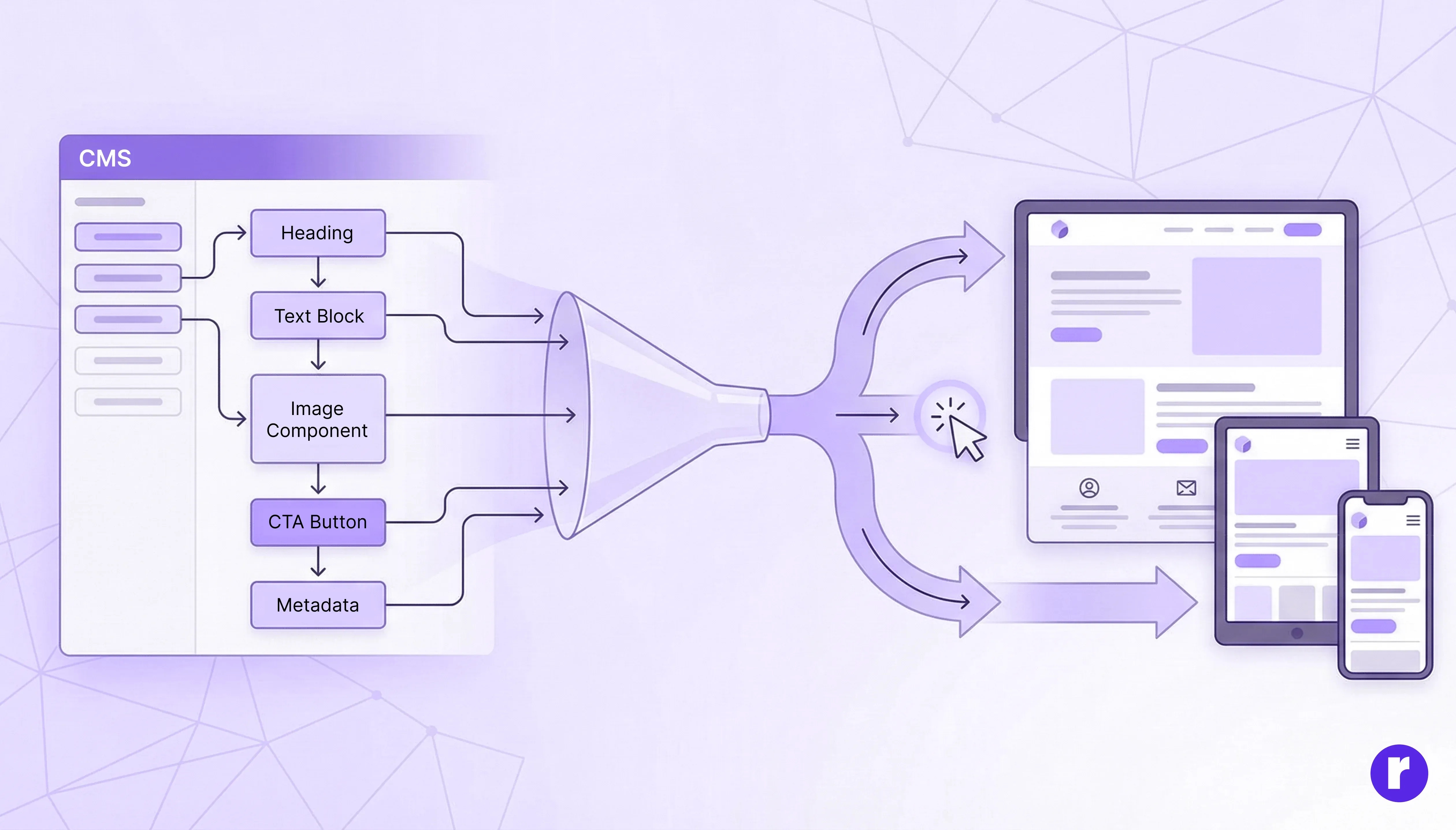
Modern CMS platforms allow content to be broken into structured components such as headings, text blocks, images, CTAs, and metadata. This structure helps designers and editors maintain logical content hierarchies.
Benefits for UX include:
- Clear information flow
- Better readability
- Improved accessibility
- Optimized mobile experiences
When content is structured properly in the CMS, designers can focus on enhancing user journeys instead of fixing layout issues.
Editor Experience Directly Affects Content Quality

The usability of the CMS editor interface plays a huge role in content quality. A confusing or cluttered CMS leads to:
- Inconsistent formatting
- Broken layouts
- Delayed updates
On the other hand, a user-friendly CMS empowers content teams to:
- Publish confidently
- Update content without developer dependency
Better editor experience = better content = better UX for end users.
Design Flexibility Without Breaking UX
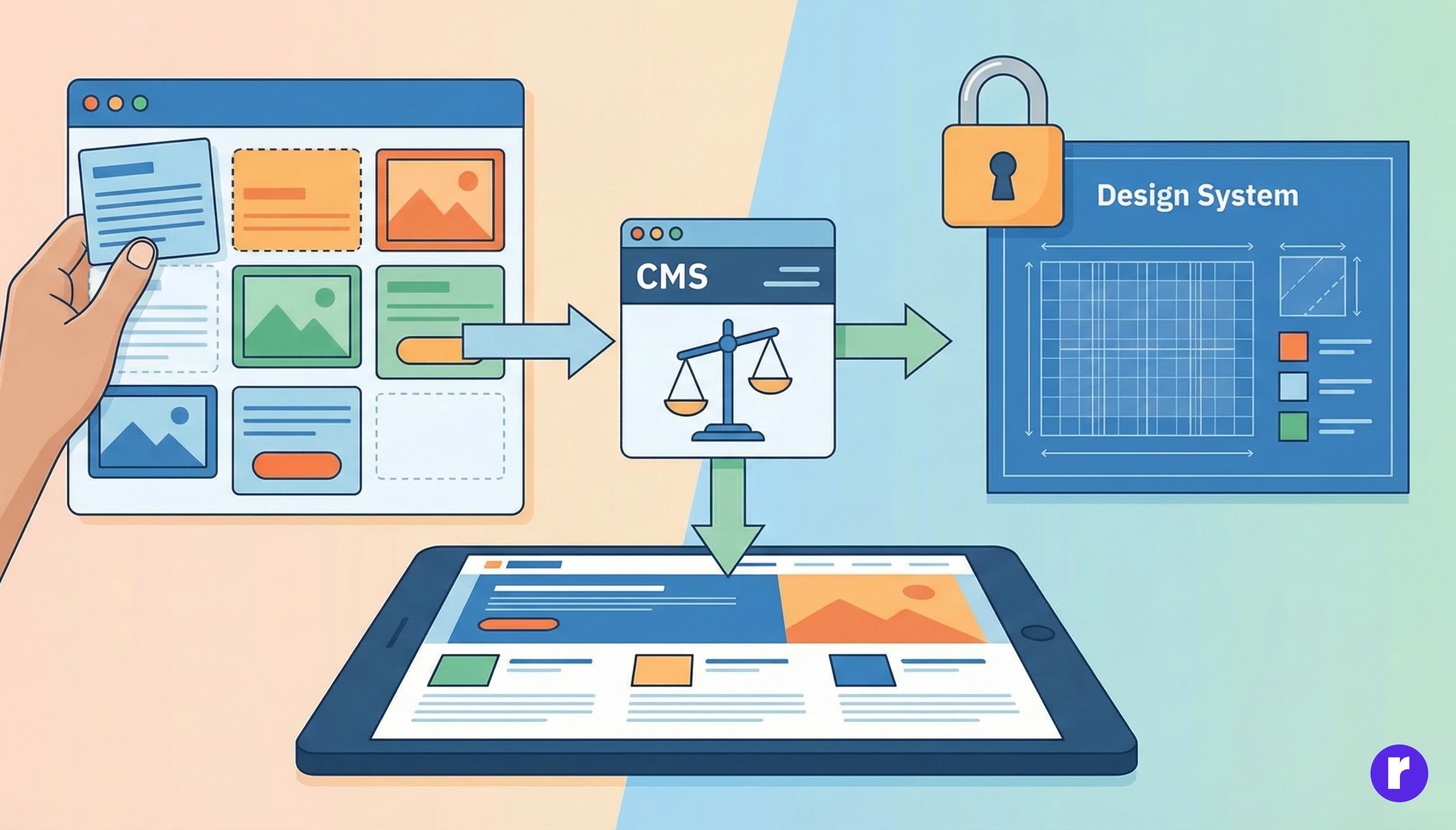
A well-designed CMS strikes the right balance between flexibility and control. It allows editors to update content freely while protecting the core design system.
Key UX advantages:
- Design systems remain intact
- No accidental layout breaks
- Brand consistency across pages
This is especially important for marketing teams that need speed without sacrificing visual quality.
CMS and Performance Optimization
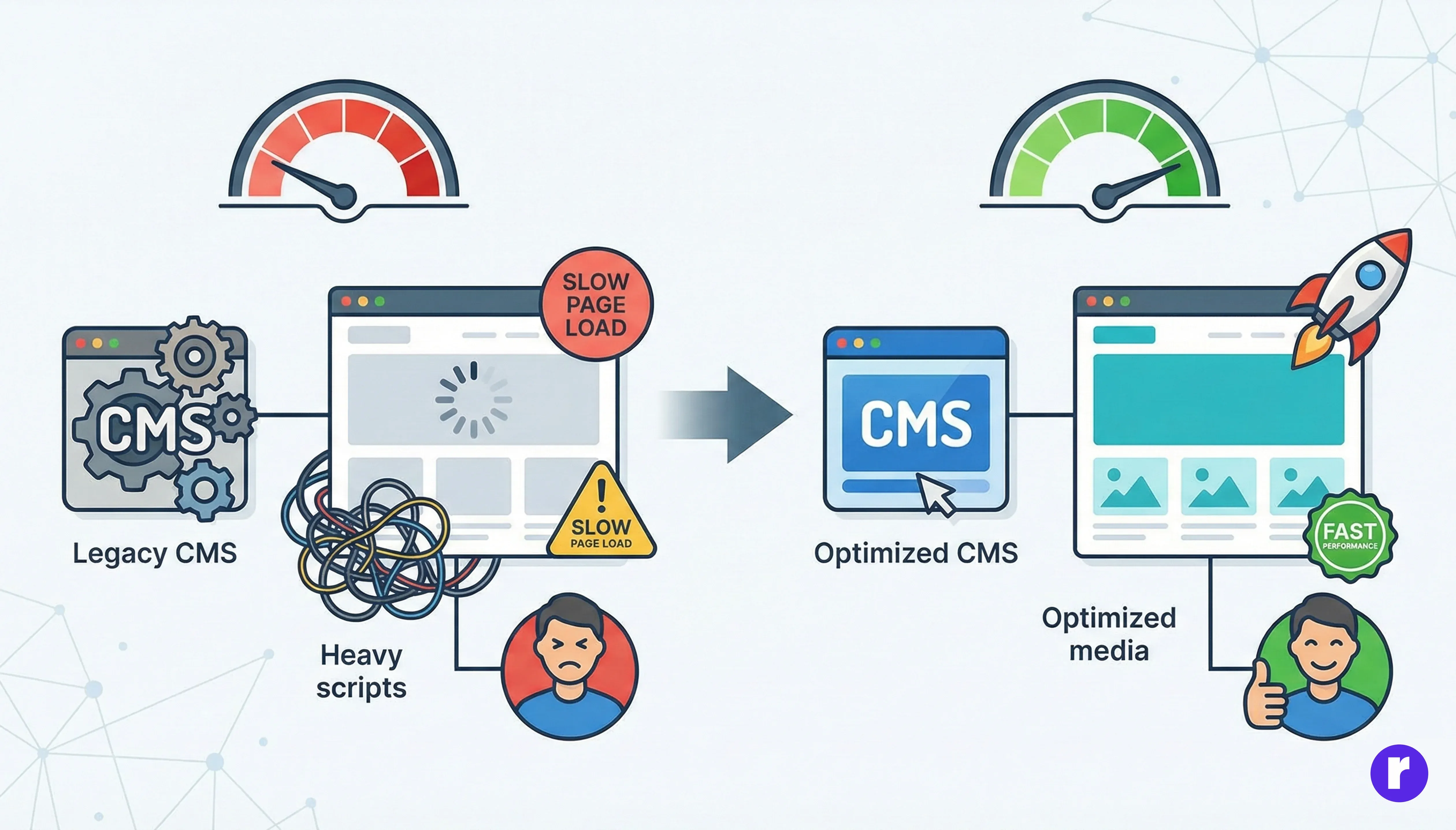
CMS choices impact website performance, which is a major UX factor. Poorly optimized CMS setups can lead to:
- Slow page loads
- Heavy scripts
- Bloated templates
Modern CMS platforms support:
- Clean content delivery
- Performance-friendly components
- Optimized media handling
A faster site results in lower bounce rates, higher engagement, and better user satisfaction.
Scalability and Long-Term UX Consistency

As websites grow, content volume increases. A scalable CMS ensure:
- Easy content expansion
- Reusable components
- Consistent UX across hundreds of pages
Without a solid CMS foundation, growing websites often suffer from fragmented experiences and inconsistent UI patterns.
Headless CMS and UX Innovation

Headless CMS platforms separate content from presentation, allowing designers and developers to craft highly customized experiences.
UX benefits include:
- Faster front-end performance
- Omnichannel content delivery
- Greater design freedom
- Seamless integration with modern frameworks
This approach is ideal for brands focused on innovation, personalization, and advanced digital experiences.
Learn how to integrate CMS in webflow Visit Here
Conclusion
A CMS is not just a content tool—it’s a UX enabler. The right CMS supports structured content, empowers editors, preserves design integrity, and ensures consistent, scalable user experiences.
When UX designers, content strategists, and CMS architecture work together, the result is a website that’s easy to manage and delightful to use.
Ready to take your Webflow skills to the next level? Discover tips, tutorials, and inspiration on our website! Visit Here