
How React and Next.js Handle Animations

Written by

Vishal Chanda
Front End Developer
Table of contents
Build with Radial Code
Share this


Modern web applications are evaluated not just by their features, but by how smoothly users can interact with them. Today’s users expect interfaces that feel responsive, visually refined, and effortless to navigate. Motion and animation strongly influence how users perceive speed, reliability, and overall quality. Most users do not abandon applications because of missing functionality. Instead, they leave when interactions feel delayed, awkward, or visually inconsistent. Carefully designed animations help reduce perceived waiting time, guide attention, and create a sense of control. Poorly executed motion, however, often results in frustration and reduced user trust. React and Next.js have become leading choices for building modern web applications. React enables developers to create reusable, component-driven interfaces, while Next.js enhances React with server-side rendering, static generation, efficient routing, and performance-focused optimizations. This article examines how animations are implemented in React and Next.js, highlighting practical techniques, commonly used libraries, performance considerations, accessibility guidelines, and common pitfalls. The goal is to help developers design smooth, user-friendly interfaces that feel both fast and reliable.
Why Animations Matter in Web Apps
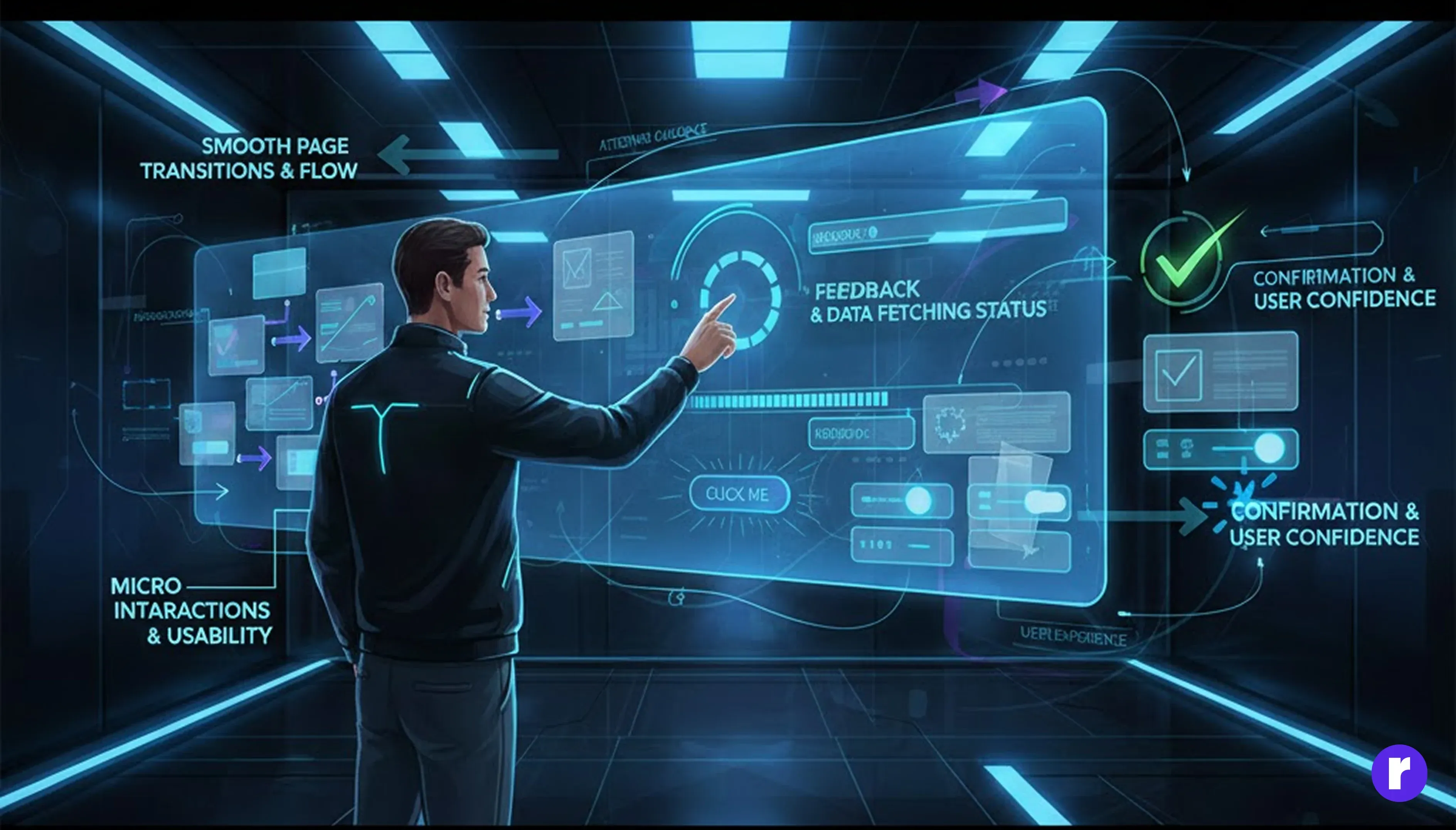
Animations are not merely decorative — when used thoughtfully, they significantly enhance usability and communication.
Animations help users:
- Understand navigation flow through page transitions
- Receive feedback during loading or data-fetching states
- Notice state changes through micro-interactions
- Feel confident that their actions have been registered
Because React and Next.js are built around a component-driven architecture, animations can be managed in a structured, reusable, and scalable way, making it easier to deliver consistent experiences across large applications.
How React Handles Animations
React itself is not an animation framework. Instead, it provides a flexible rendering model that works well with CSS animations, state-driven UI updates, and specialized animation libraries.
- CSS Animations and Transitions in React The simplest and most performant way to animate in React is by using plain CSS animations and transitions. Since React ultimately renders standard HTML elements, CSS behaves exactly as it does in any traditional web application.
- Hover effects on buttons and cards
- Fade-in and fade-out transitions
- Scale, rotate, and translate animations
- State-Based Animations in React React applications are driven by state changes. When state updates, React automatically re-renders the UI, which can be leveraged to trigger animations.
- Showing or hiding elements conditionally
- Animating components on button clicks
- Dynamically toggling CSS classes
- React Transition Group React Transition Group is a library specifically designed to manage animations during component lifecycle changes such as mounting and unmounting.
- Transition
- CSSTransition
- SwitchTransition
- Modal and dialog animations
- Conditional rendering
- Animating lists and elements entering or leaving the DOM
- Framer Motion Framer Motion is one of the most powerful and widely adopted animation libraries in the React ecosystem.
- Declarative animation syntax
- Hardware-accelerated, smooth animations
- Gesture support (hover, tap, drag)
- Excellent performance with minimal configuration
Common use cases:
Example:
const [hover, setHover] = useState(false);
<div
  className={`btn ${hover ? "scale-105" : ""}`}
  onMouseEnter={() => setHover(true)}
  onMouseLeave={() => setHover(false)}
>
  Hover Me
</div>
.btn {
  transition: transform 0.2s ease;
}
.scale-105 {
  transform: scale(1.05);
}
CSS-based animations are lightweight, browser-optimized, and GPU-accelerated, making them ideal for simple and frequent UI interactions.
Typical scenarios:
Example:
const [show, setShow] = useState(false);
<button onClick={() => setShow(!show)}>
  Toggle
</button>
{show && <div className="fade-in">Content</div>}
.fade-in {
  animation: fadeIn 0.3s ease;
}
@keyframes fadeIn {
  from { opacity: 0; }
  to { opacity: 1; }
}
This technique works well for basic animations, but as applications grow, managing complex timing and transitions purely through state can become difficult.
It provides components like:
Example:
 <CSSTransition
  in={show}
  timeout={300}
  classNames="modal"
  unmountOnExit>
  <div>Modal Content</div>
</CSSTransition>
It is especially useful for:
Key features:
Example:
import { motion } from "framer-motion";
<motion.div
  initial={{ opacity: 0 }}
  animate={{ opacity: 1 }}
>
  Animated Content
</motion.div>
Because of its simplicity, flexibility, and performance, Framer Motion is often the default choice for modern React and Next.js applications.
How Next.js Handles Animations
Next.js supports all React animation techniques, but its server-side rendering model and routing system introduce additional considerations Learn more.
- Animations with Server-Side Rendering (SSR) Next.js may render pages on the server before sending them to the browser. Since animations rely on browser APIs such as window and document, they must be executed only on the client.
- Trigger animations inside useEffect
- Avoid direct access to browser APIs during SSR
- Prevent hydration mismatches by checking client mount
- Smooth Page Transitions (App Router) By default, Next.js switches routes instantly. Adding animated page transitions improves perceived performance and creates a more refined experience.
- Shared Layout Animations Next.js works exceptionally well with shared layout animations using Framer Motion’s layout and layoutId.
- Card-to-detail page transitions
- Animated navigation indicators
- Hero section animations across routes
- Dynamic Imports for Performance Animation libraries can increase JavaScript bundle size. Next.js provides dynamic imports to load heavy animation code only when needed.
- Faster initial page load
- Reduced bundle size
- Better performance on low-end devices
Best practices:
Example:
"use client";
import { useEffect, useState } from "react";
export default function AnimatedComponent() {
  const [mounted, setMounted] = useState(false);
  useEffect(() => {
    setMounted(true);
  }, []);
  if (!mounted) return null;
  return <div className="animate-fadeIn">Animated Content</div>;
}
This approach ensures smooth hydration without UI flicker or rendering errors.
Using Framer Motion with the App Router:
"use client";
import { AnimatePresence, motion } from "framer-motion";
import { usePathname } from "next/navigation";
export default function RootLayout({ children }) {
  const pathname = usePathname();
  return (
    <AnimatePresence mode="wait">
      <motion.div
        key={pathname}
        initial={{ opacity: 0, x: 20 }}
        animate={{ opacity: 1, x: 0 }}
        exit={{ opacity: 0, x: -20 }}
        transition={{ duration: 0.3 }}
      >
        {children}
      </motion.div>
    </AnimatePresence>
  );
} Common use cases:
 <motion.div
  layoutId="card"
  whileHover={{ scale: 1.05 }}
  transition={{ type: "spring" }}
>
  Card Content
</motion.div>
These animations create fluid, natural transitions that significantly enhance user experience.
import dynamic from "next/dynamic";
const MotionComponent = dynamic(
  () => import("../components/MotionComponent"),
  { ssr: false }
);
Benefits:
React vs Next.js: Animation Comparison
- Rendering
- React: Animations run entirely on the client-side.
- Next.js: Animations must account for both server-side and client-side rendering.
- SSR Concern
- React: No server-side rendering concerns.
- Next.js: Requires hydration checks and client-only execution for animations.
- Page Transitions
- React: Must be implemented manually using state or animation libraries.
- Next.js: Can leverage router-level transitions for smoother navigation experiences.
- Performance Tuning
- React: Primarily handled through external animation libraries.
- Next.js: Provides built-in optimizations such as code splitting and dynamic imports.
Real-World Animation Tips & Practices
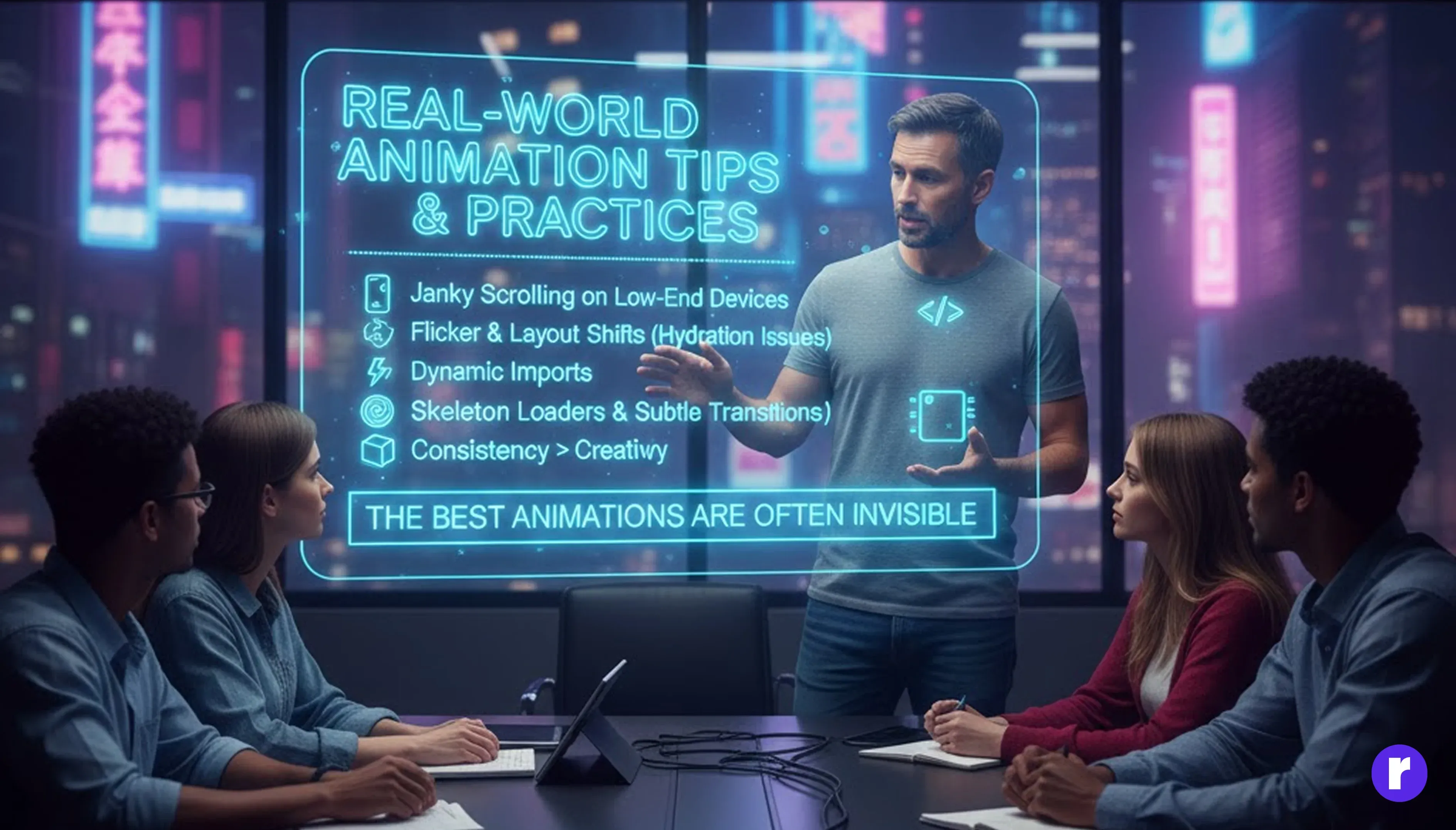
In real production environments, animations often go through multiple iterations. What looks great in prototypes may not perform well on real devices or under real network conditions. Teams frequently simplify, delay, or even remove animations after testing on low-end devices and slower connections.
Common Real-World Learnings
- Over-animating lists and tables (especially with complex layouts) can cause dropped frames and janky scrolling on low-end or mobile devices.
- Animations triggered before hydration completes in Next.js can result in flicker, layout shifts, or hydration warnings.
- Dynamic imports help significantly by loading animation libraries only when required, reducing initial bundle size and improving Time to Interactive.
- Skeleton loaders and subtle transitions perform better than heavy entrance animations for content-heavy pages.
- Consistency matters more than creativity — users prefer predictable, smooth interactions over flashy but inconsistent motion.
- Successful teams start with simple animations , validate performance with real metrics, and scale complexity only where animations clearly improve user understanding or engagement.
In practice, the best animations are often the ones users barely notice — they simply make the interface feel smooth, responsive, and reliable.Radial code
Animation Best Practices

To build animations that feel professional and performant, developers should follow a few proven best practices:
- Use animations purposefully, not everywhere — every animation should have a clear UX goal.
- Prefer CSS animations and transitions for simple effects like hover states, fades, and micro-interactions.
- Animate only transform and opacity properties to ensure GPU-accelerated, 60fps performance.
- Keep animation logic modular and reusable so it can be shared across components without duplication.
- Delay or conditionally run animations in Next.js to avoid SSR hydration issues.
- Test animations on real devices, not just high-end development machines.
- Always respect user accessibility preferences, especially reduced motion settings.
Reduced Motion Support:
@media (prefers-reduced-motion: reduce) {
  * {
    animation: none !important;
    transition: none !important;
  }
}
Ignoring reduced motion preferences can make applications uncomfortable or unusable for motion-sensitive users.
Animation Mistakes to Avoid
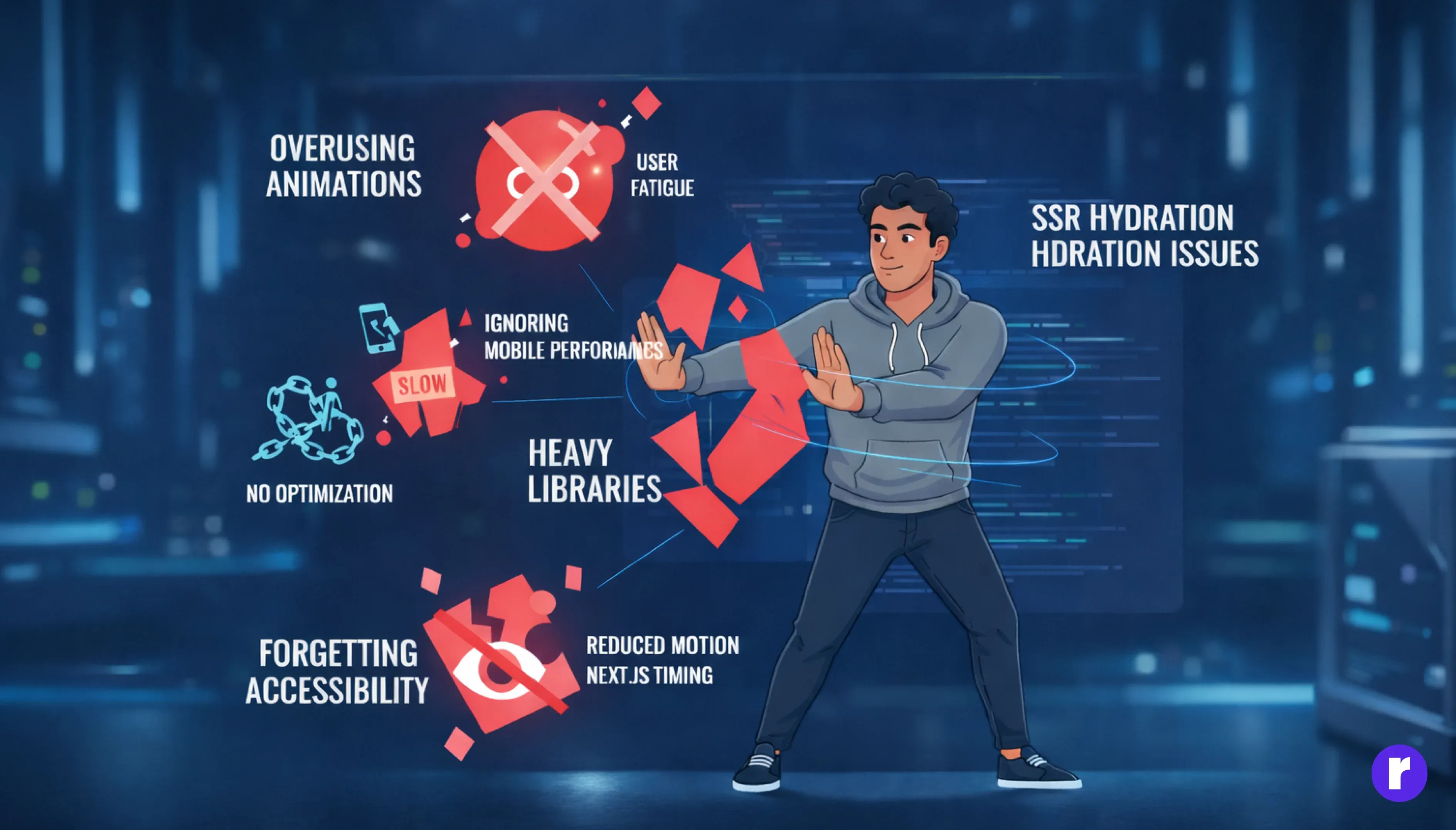
Even experienced developers make animation-related mistakes. Common pitfalls include:
- Overusing animations across the entire application without considering user fatigue.
- Ignoring performance on mobile and low-end devices.
- Using heavy animation libraries without proper optimization or lazy loading.
- Forgetting accessibility and reduced motion preferences.
- Causing SSR hydration issues by running animations too early in Next.js.
Avoiding these mistakes leads to smoother experiences, better performance, and happier users. Read more
Future of Animations in React and Next.js
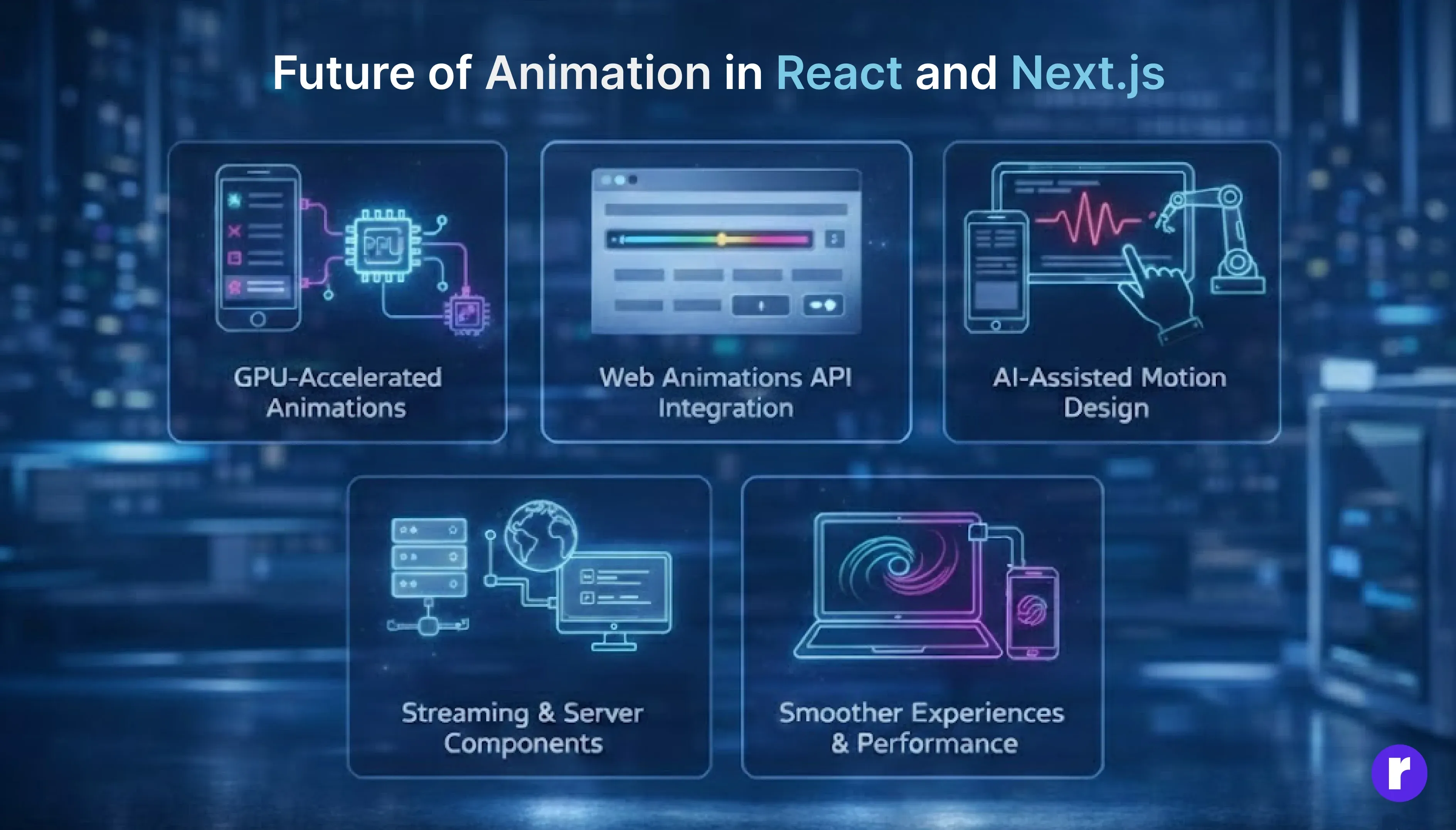
As web technologies evolve, animations are becoming more powerful, efficient, and closer to native experiences.
Key trends include:
- GPU-Accelerated Animations: Animations are becoming significantly smoother and faster, delivering consistent 60fps performance even on low-end and mobile devices.
- Web Animations API Integration: Developers now have greater control over animations, with improved timing, sequencing, and performance through deeper integration with the Web Animations API.
- AI-Assisted Motion Design: AI-powered tools can automatically generate animation curves, easing functions, and transitions, helping teams design motion faster and more efficiently.
- Streaming & Server Components (Next.js): Content loads progressively without flicker, while animations remain hydration-safe and consistent, thanks to streaming and server components in Next.js.
The future points toward smoother experiences, better performance, and simpler developer workflows — without sacrificing accessibility.
Conclusion
React and Next.js give developers a strong and flexible environment for creating animations, from basic CSS transitions to advanced motion libraries like Framer Motion. When animations are used with a clear purpose, they make applications feel smoother, faster, and more engaging for users.
Good animation is not about adding effects everywhere. It requires careful thinking about performance, accessibility, and consistency. Understanding how client-side rendering, server-side rendering, and hydration work in React and Next.js helps developers avoid common issues such as flickering, layout shifts, and performance drops.
Ultimately, animation plays an important role in shaping user experience. Thoughtfully designed motion helps users understand interactions, builds confidence, and makes interfaces feel responsive and enjoyable. When done right, animation becomes a silent guide that improves usability rather than just visual appeal.
Share this


