How small UX decisions shape the entire user journey

Written by

Sumit Verma
UI/UX Designer
Table of contents
Build with Radial Code
Share this


The best user experiences are built on details most people never notice.
When people talk about great digital products, they often focus on bold visuals or innovative features. Rarely do they mention the tiny interaction that made clicking a button feel effortless or the subtle animation that confirmed an action was successful.
Yet these seemingly insignificant moments often define the entire user experience.
Users don't remember every design decision—they remember whether a product felt simple, trustworthy, and intuitive. That's why exceptional UX isn't created by one groundbreaking feature. It's created by hundreds of thoughtful decisions working together.
Every small interaction shapes the journey
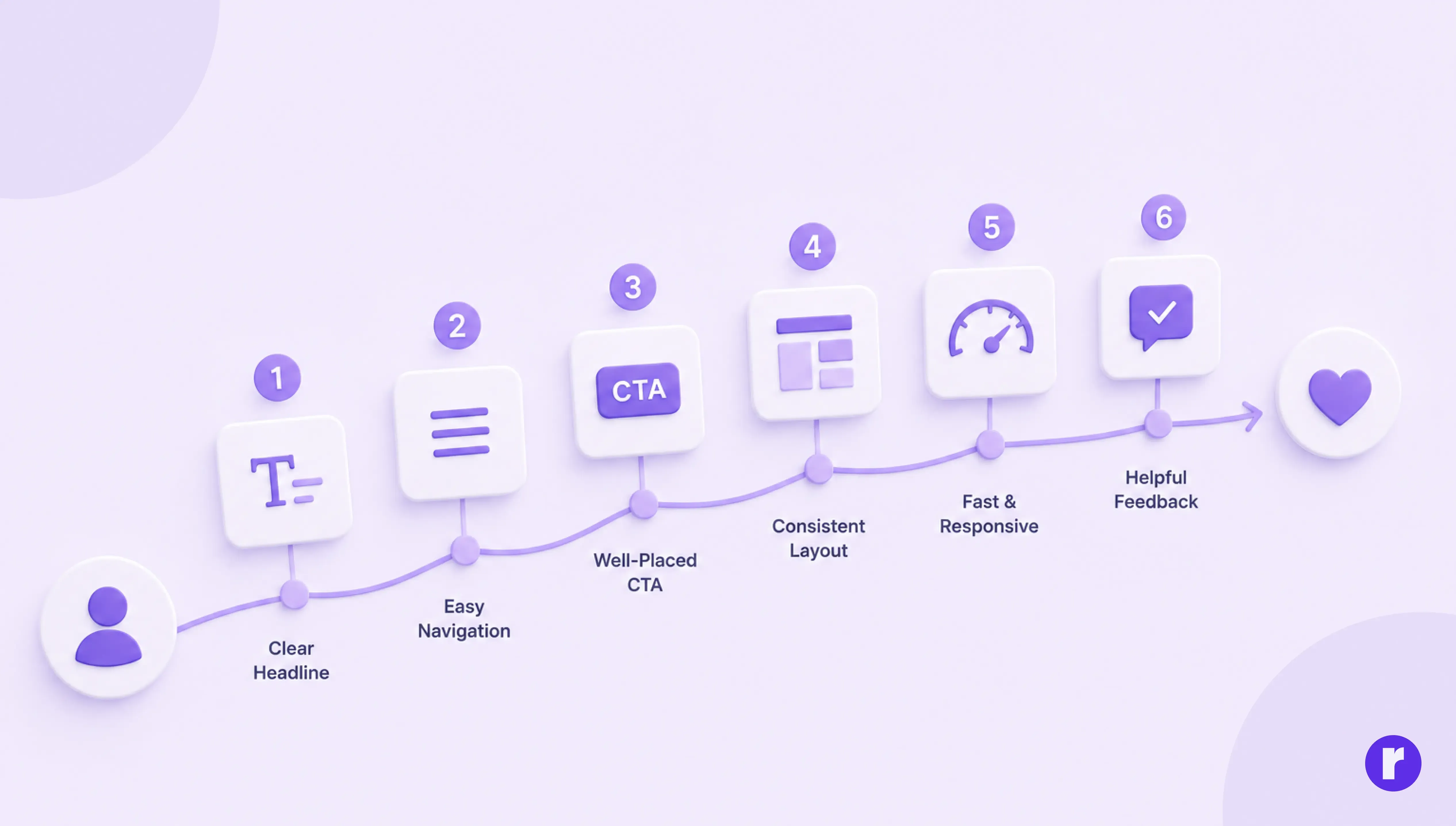
Every product has a user journey, and every stage is influenced by dozens of small UX decisions.
Whether users decide to stay or leave often depends on details like:
- A clear and meaningful headline
- Easy-to-find navigation
- Well-placed call-to-action buttons
- Consistent spacing and layout
- Fast loading and responsive interactions
- Helpful feedback after every action
None of these decisions seem dramatic on their own, but together they determine whether the experience feels effortless or frustrating.
Want to learn more about UX design? Visit Radial code
Tiny frictions create big problems

- One unnecessary click.
- One confusing label.
- One hidden navigation item.
- One slow-loading screen.
Each issue feels minor during design reviews, but for users, friction accumulates. Every moment of uncertainty forces people to think harder than they should, making even simple tasks feel more complicated.
Great UX isn't about adding more—it's about removing these invisible obstacles before users notice them.
Clarity builds confidence

Users don't want to learn your interface—they want to accomplish their goal. This is why creativity works when it supports clarity.
Instead of creating unique navigation patterns or clever button labels, focus on familiarity. Interfaces become more successful when users instantly understand what to do next.
Ask yourself:
- Can users recognize this immediately?
- Is the next action obvious?
- Does this reduce unnecessary thinking?
If the answer is yes, you're moving in the right direction.
💡 Pro Tip: Clarity is achieved when users instinctively know what to do next—without reading instructions or second-guessing their choices.
Practical UX example: How small changes improve the user experience
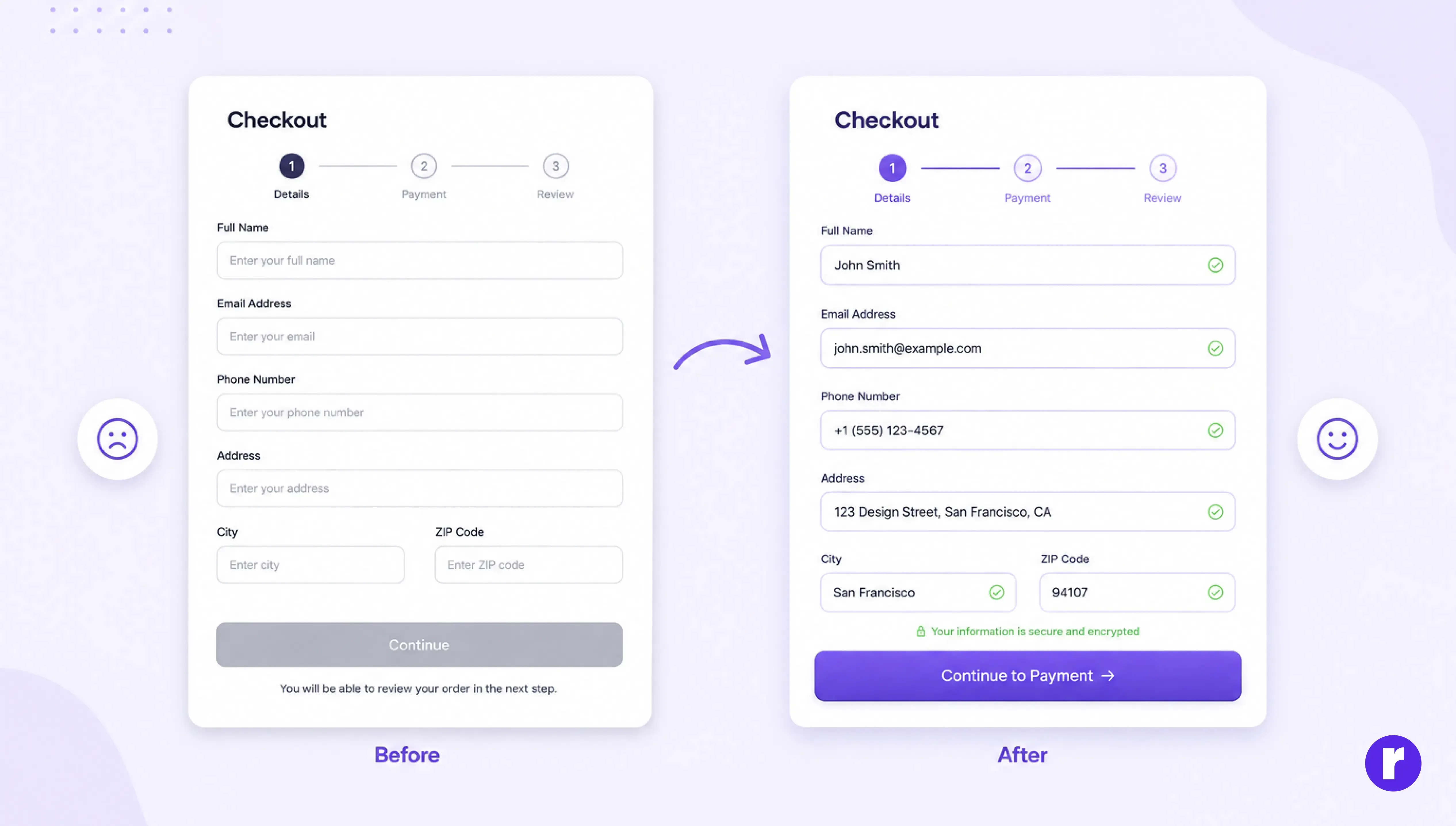
Imagine an e-commerce checkout page.
Before
The "Continue" button sits below several form fields with no visual emphasis. Error messages only appear after submitting the form, forcing users to scroll back and fix multiple mistakes.
As a result, many users hesitate, make errors, or abandon the checkout process altogether.
After
The primary button is clearly highlighted, required fields are easy to identify, and validation appears after users finish a field or move away from it. Helpful messages explain exactly how to fix mistakes without interrupting the flow.
The task hasn't changed—but the experience has.
This small redesign reduces confusion, builds confidence, and helps users complete their purchase with less effort. It's a reminder that improving UX doesn't always require adding new features. Sometimes, refining the details creates the biggest impact.
Small details that users feel
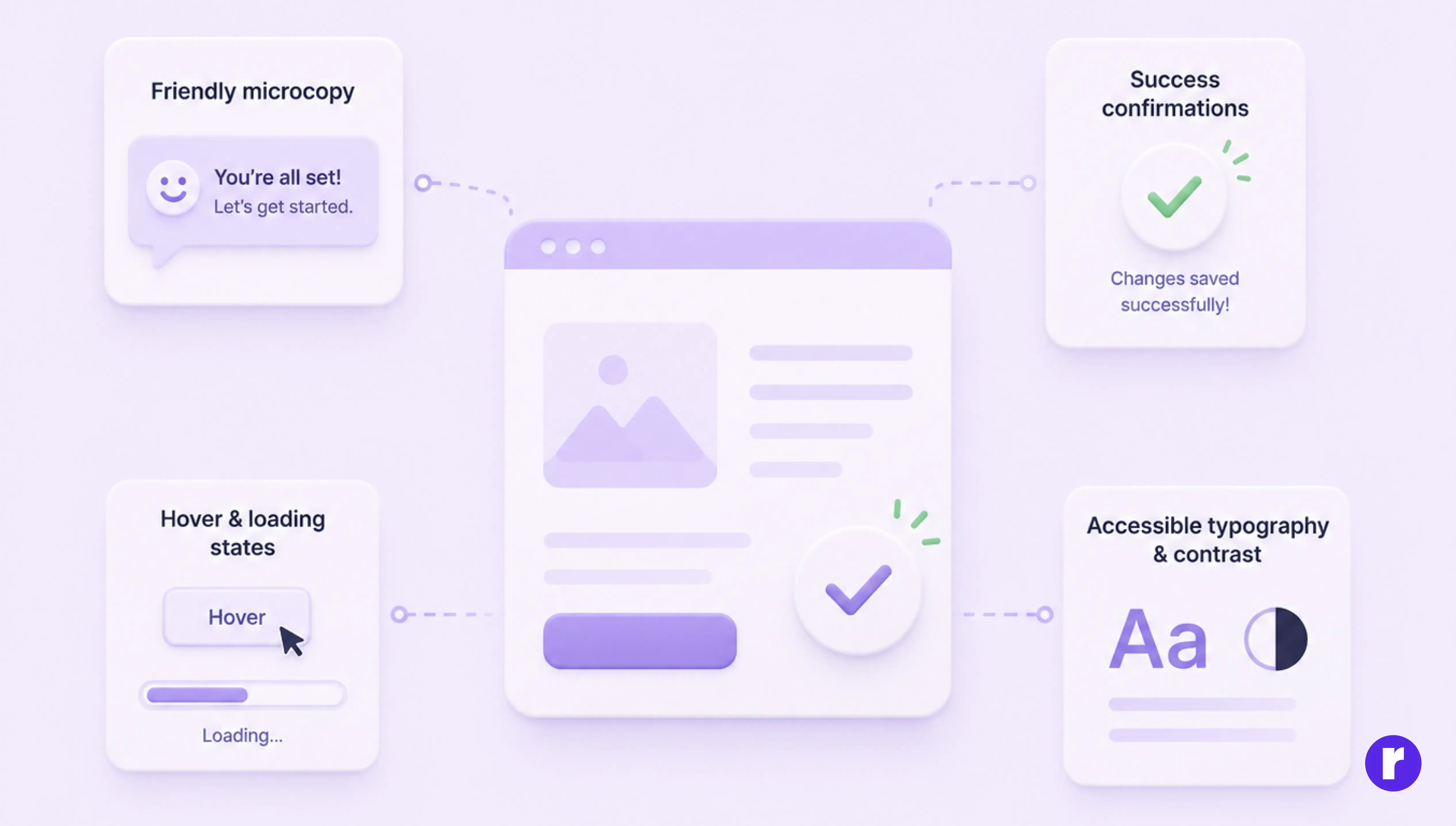
Some of the most powerful UX improvements are the ones users rarely notice.
Examples include:
- Friendly microcopy instead of technical messages
- Success confirmations after important actions
- Interaction and loading states that provide reassurance
- Accessible typography and color contrast
These details quietly build trust and make products feel polished.
Consistency creates better experiences
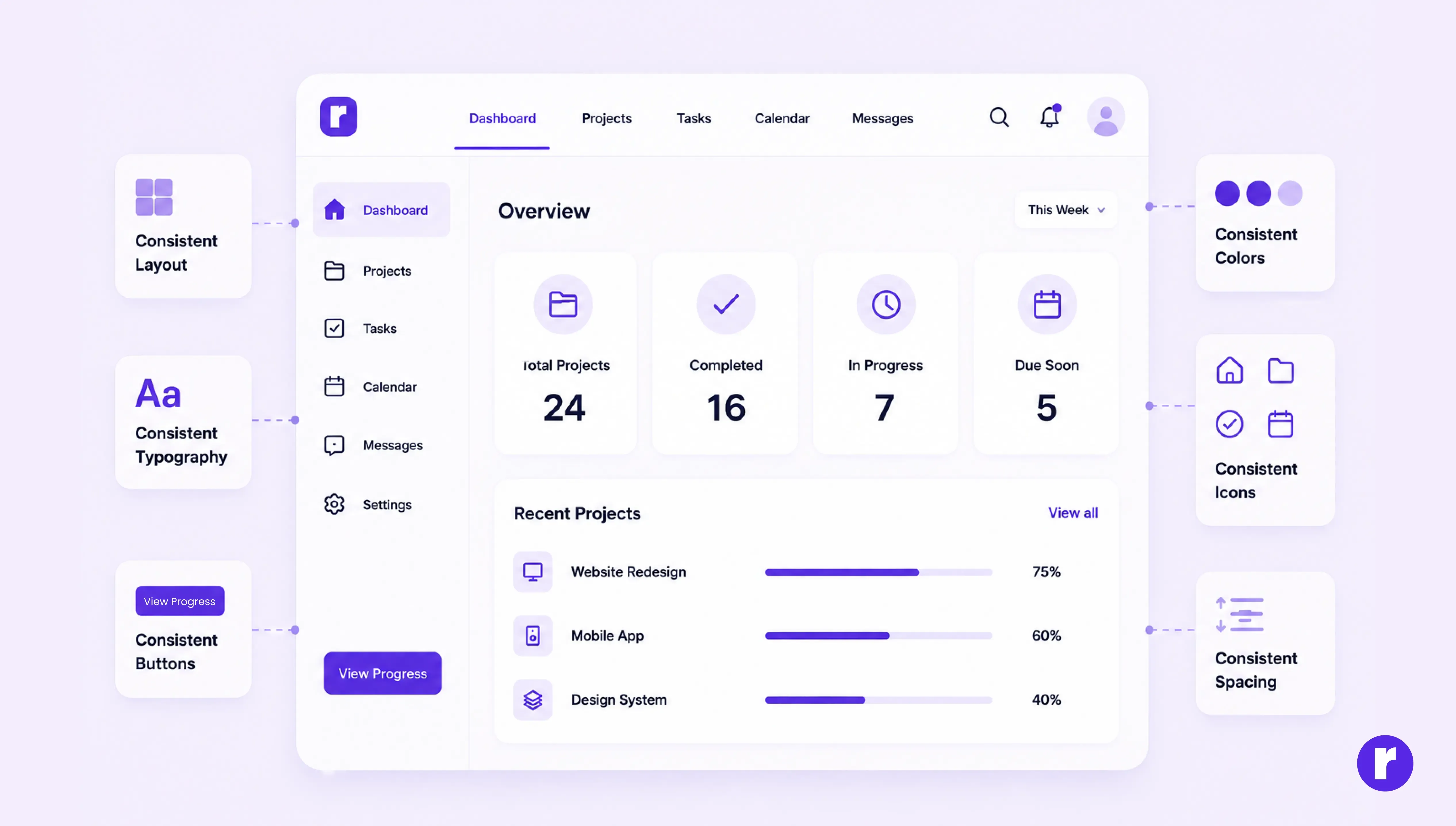
Consistency isn't about making everything identical—it's about making everything predictable.
When buttons, icons, spacing, and navigation behave the same way throughout a product, users spend less time figuring out the interface and more time completing their tasks.
Consistency reduces cognitive load, improves confidence, and creates a smoother overall experience.
Learn more about the UX thinking behind brands. Visit Radial code
Design every element with purpose
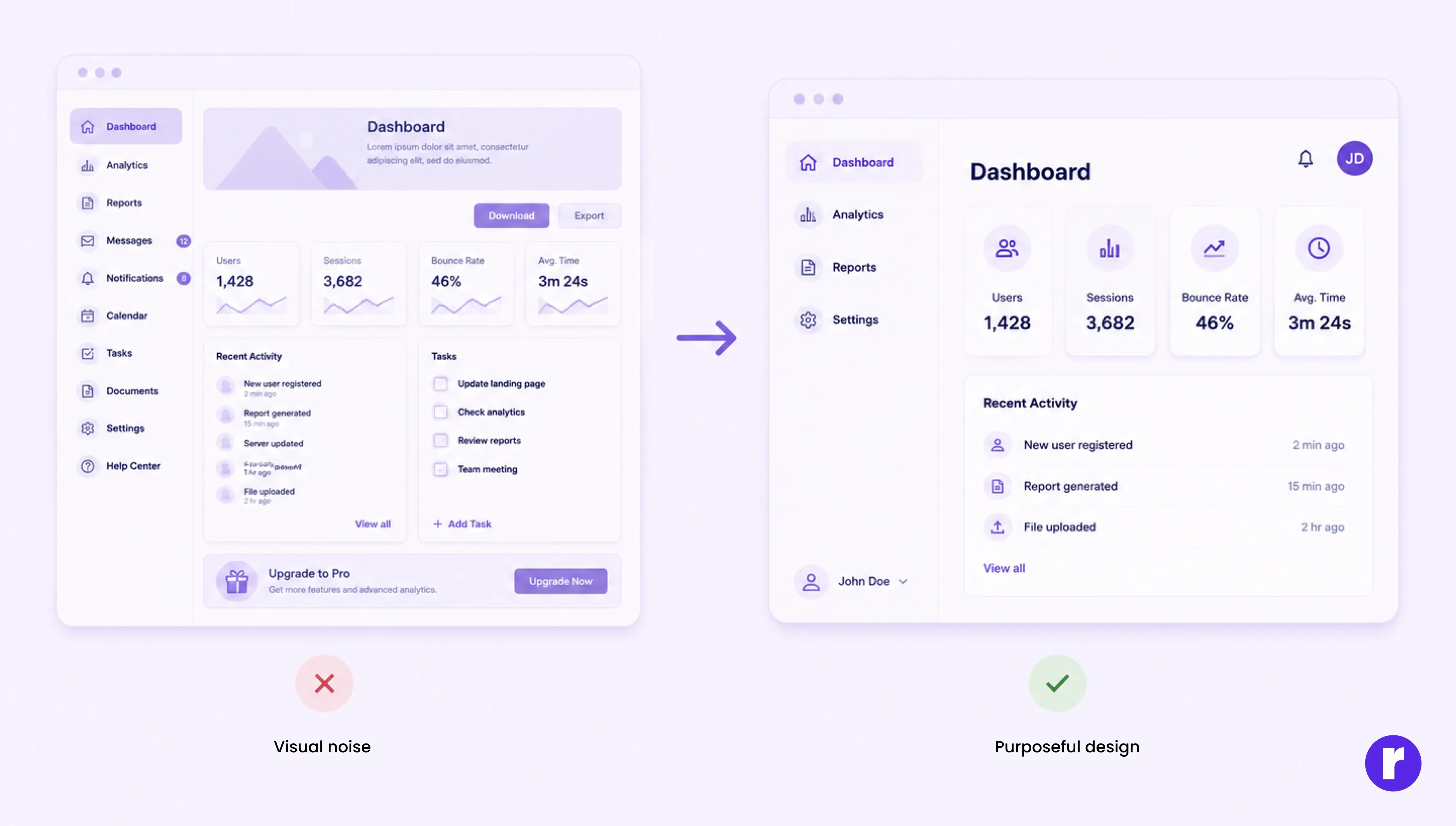
Every element should solve a problem or support the user's goal.
Before adding something new, ask:
- Does it make the interface clearer?
- Does it remove friction?
- Does it improve accessibility?
- Does it help users complete a task faster?
If not, it may simply be visual noise.
Great UX is often defined by what designers choose not to include.
Conclusion
The most influential UX decisions are rarely the ones users notice.
They're the invisible improvements that quietly remove friction, build confidence, and make every interaction feel natural.
No single button, animation, or piece of microcopy transforms a product on its own. But hundreds of thoughtful decisions working together create experiences that users trust, enjoy, and return to.
That's the real craft of UX design—making small decisions with great intention. Want to see how we apply these principles? Check out Radial code learn.